
How can we help you?
Here in our Help Center you will find all general answers to questions about billing, admin panel, product and much more.
Mobile App
/General information
/Profile
Editing your profile
Your profile and the information it contains are your business card on the platform. It is therefore important that your information is up to date.
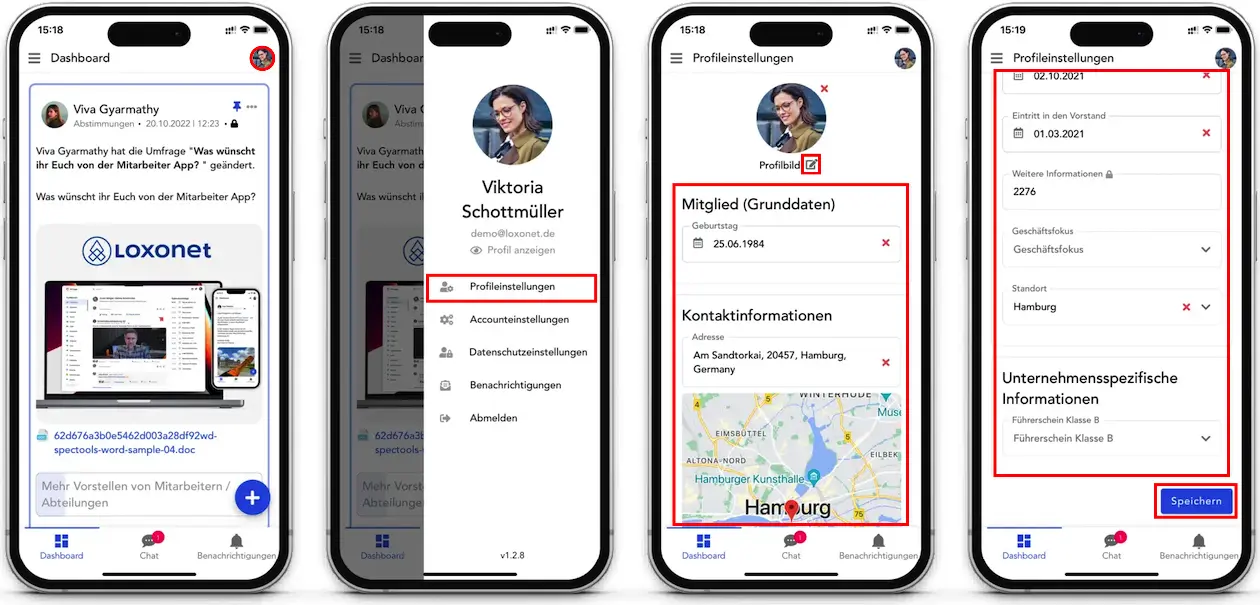
To edit your profile:
- Click on your photo in the top right corner.
- In the menu that appears, click Profile Settings .
- Here you can edit your photo and information about yourself.
- After editing, don't forget to save your changes .
View profile
View your profile
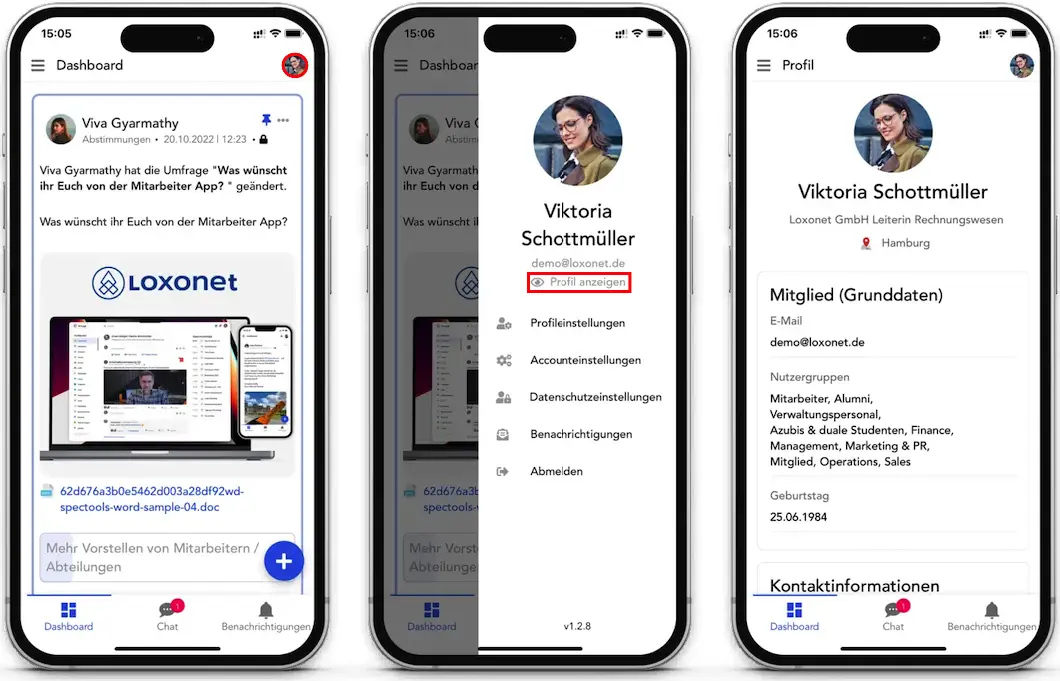
After you set up your profile, you can review how the information will appear.
In order to do this:
- Click on your photo in the top right corner.
- In the menu that appears, click Profile Settings .
- Click View Profile .
To view another user's profile:
- Press the burger menu icon . This brings up the left sidebar menu with a list of available features.
- Select Community/Employee application.
- Select the desired profile from the list or use the search box
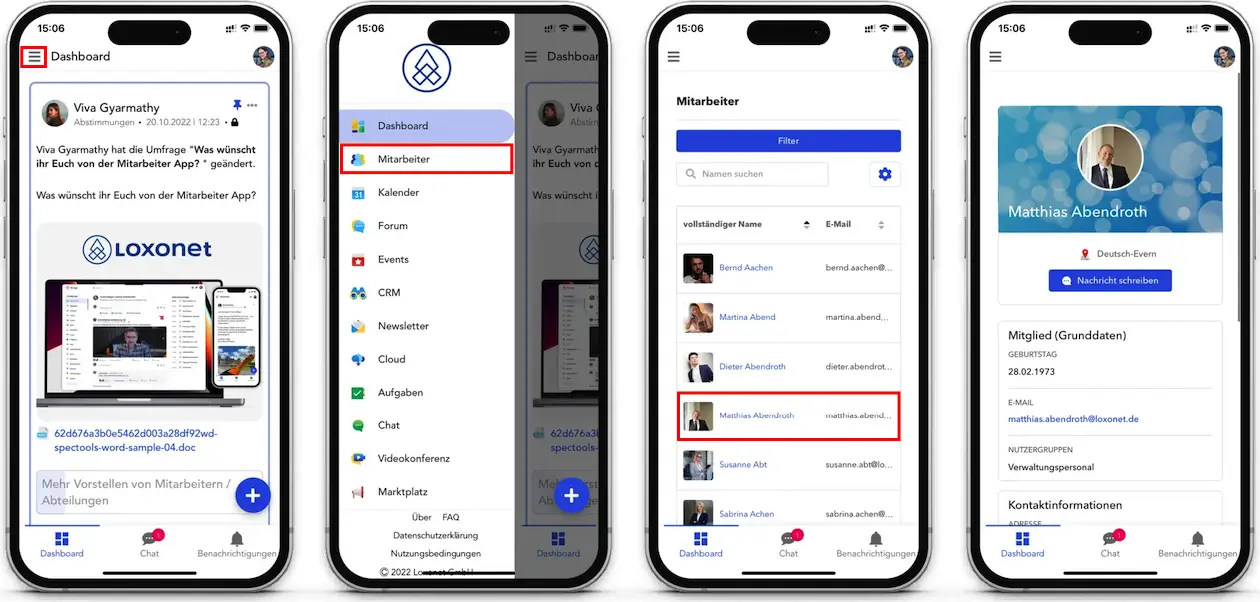
Alternatively, you can view another user's profile by clicking their photo on the dashboard or in another application.