
How can we help you?
Here in our Help Center you will find all general answers to questions about billing, admin panel, product and much more.
How can I pull member data down into an Excel?
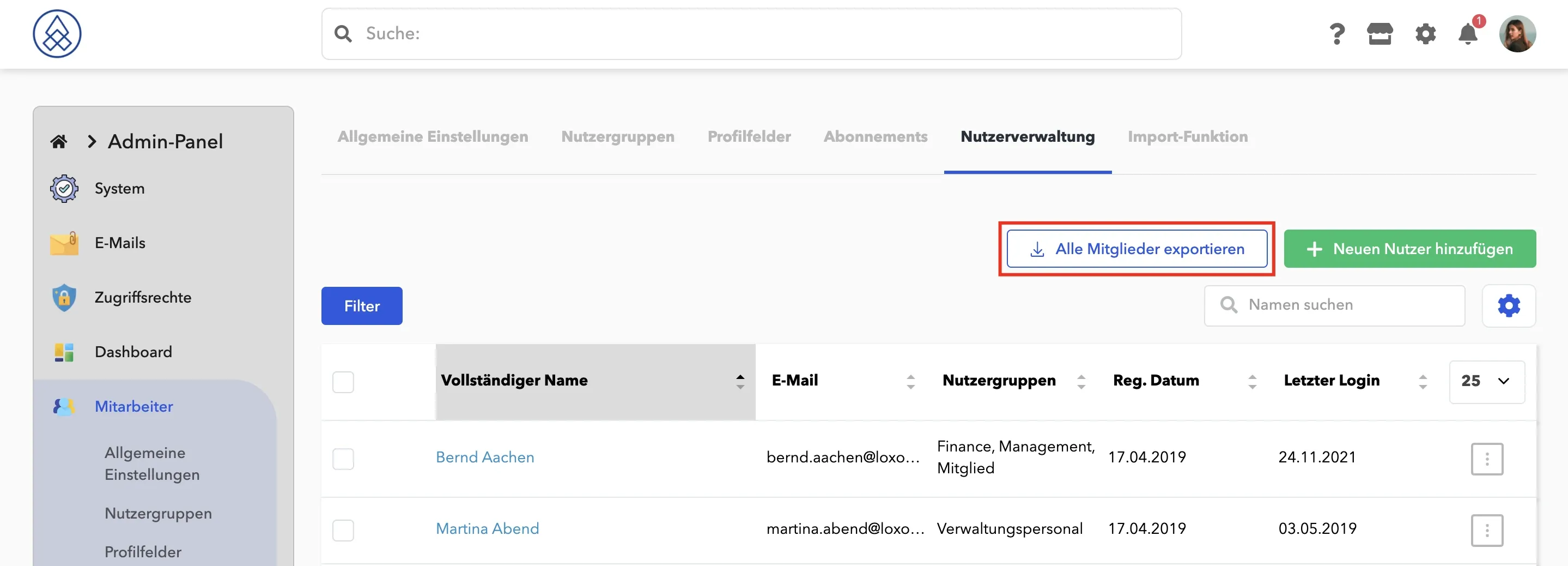
If you want to export all users, you can easily do this in the Admin Panel → Employees (Community) → User Management and click on Export All Members.
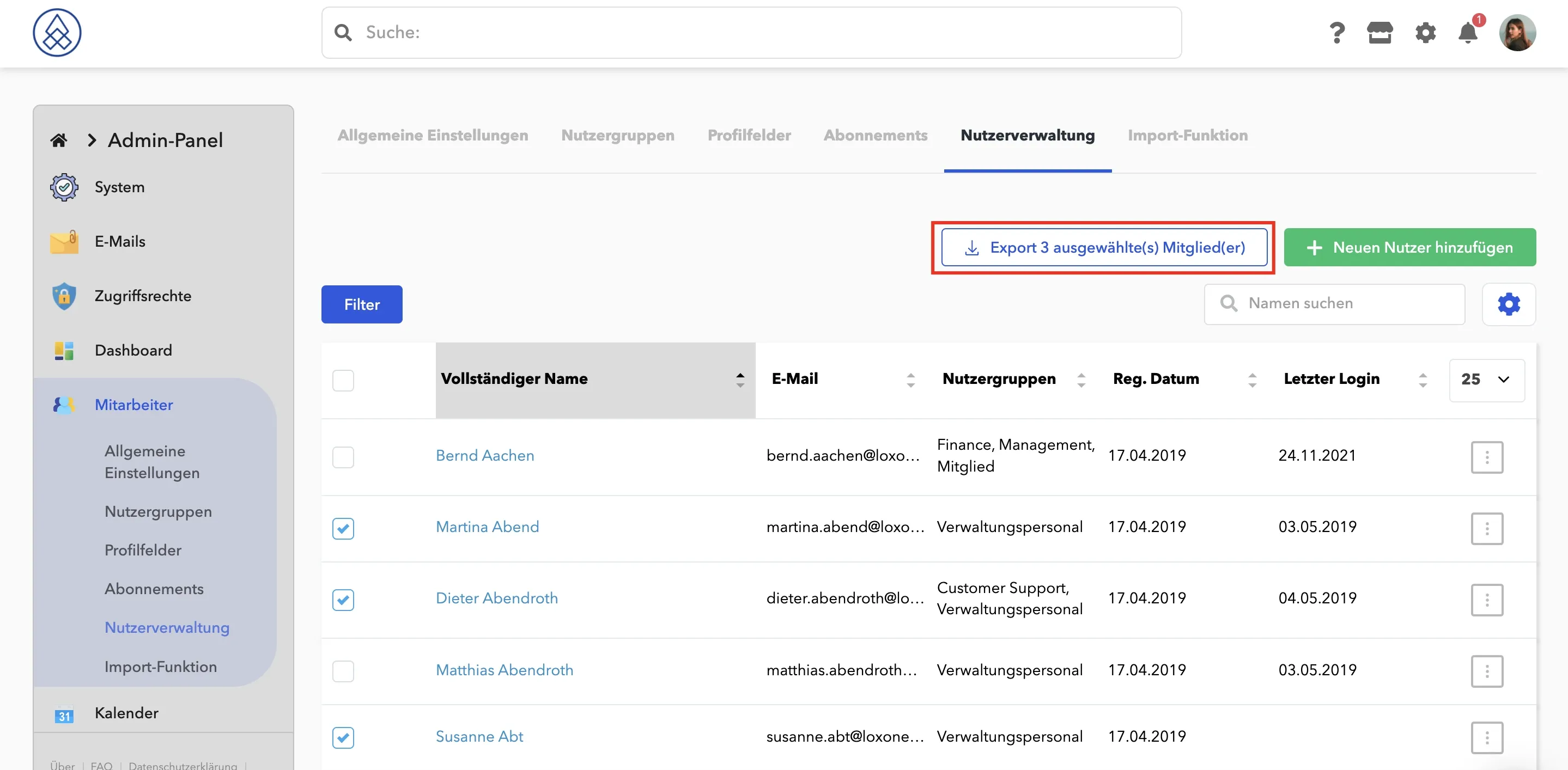
You can also export individual user data.
Mark the desired users and export them.
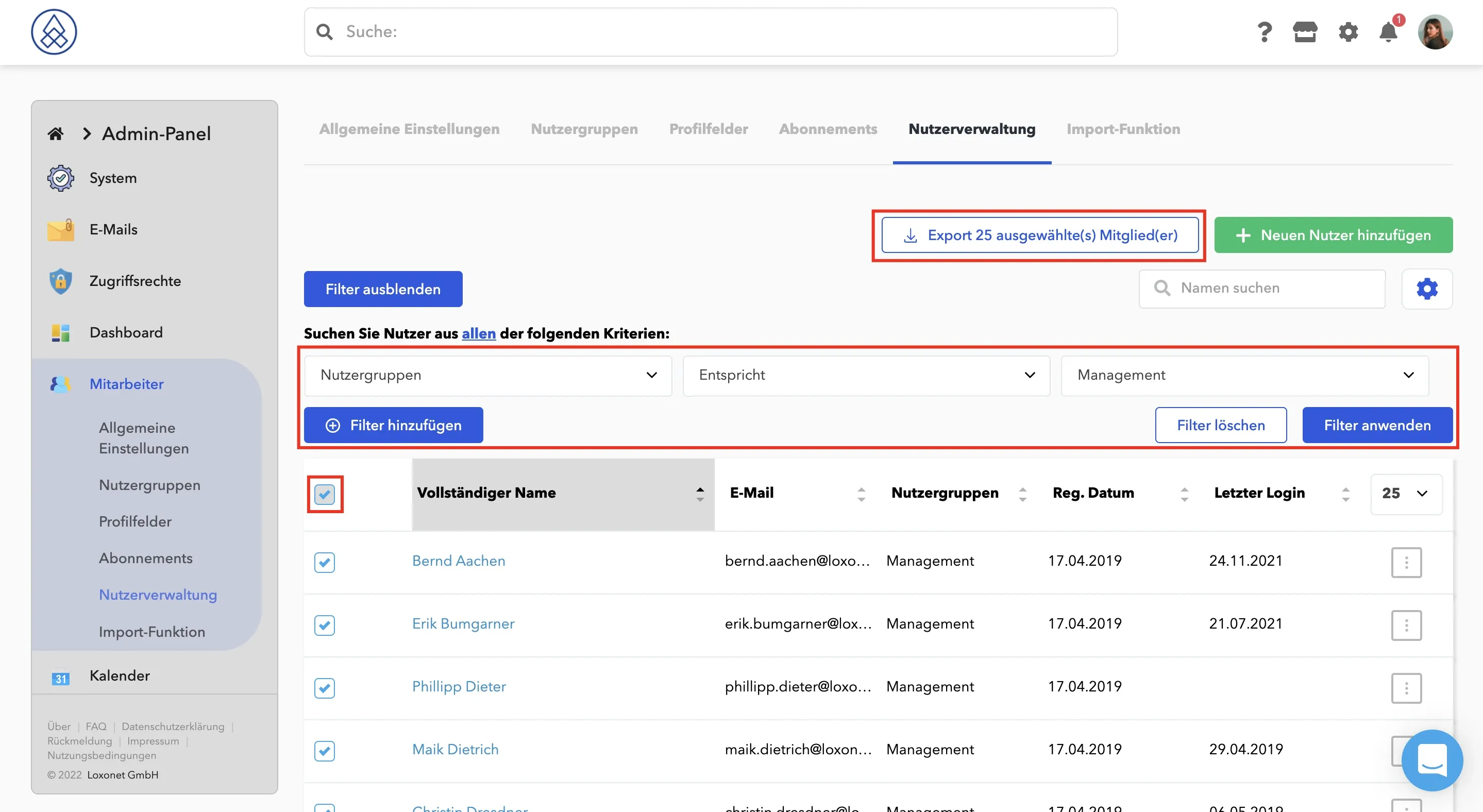
You can also use a filter to export users who belong to the same user group.
Can I see when the members were last online?
To see when a user was last online, all you have to do is go to the admin panel. From there, click on Community (Employees) → User Management . This information is displayed in the Last Login column . 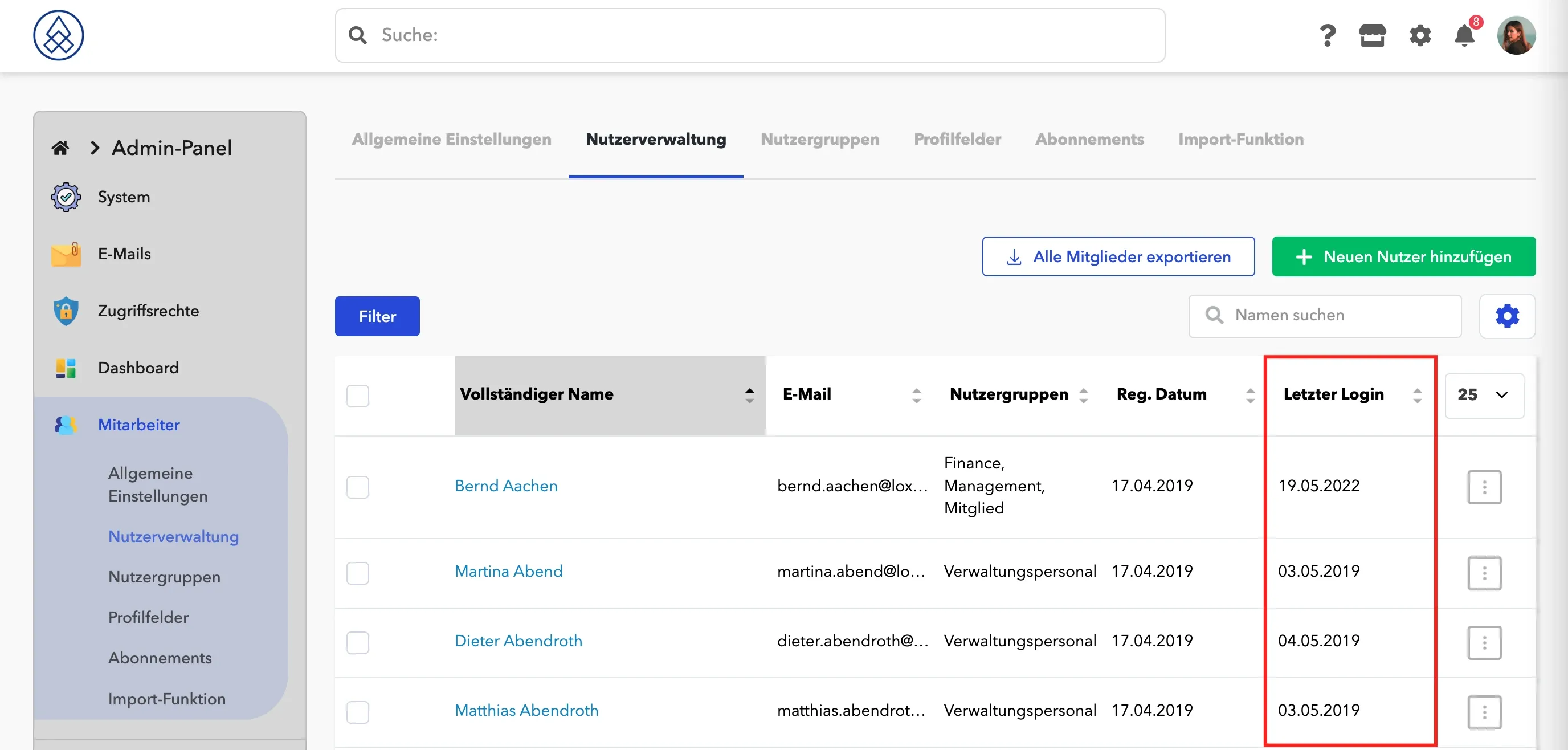 If you click on "Last login" you can sort the list.
How can I delete a user?
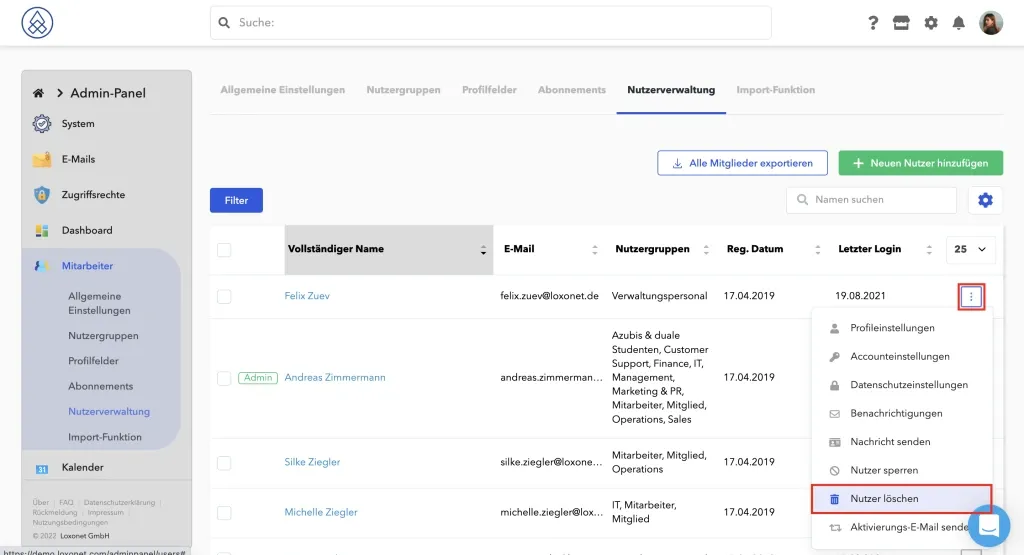
To delete a user, you just need to go to the admin panel. From there, click on Community → User Management . Please click on the three dots to the right of the desired person and select Delete user .
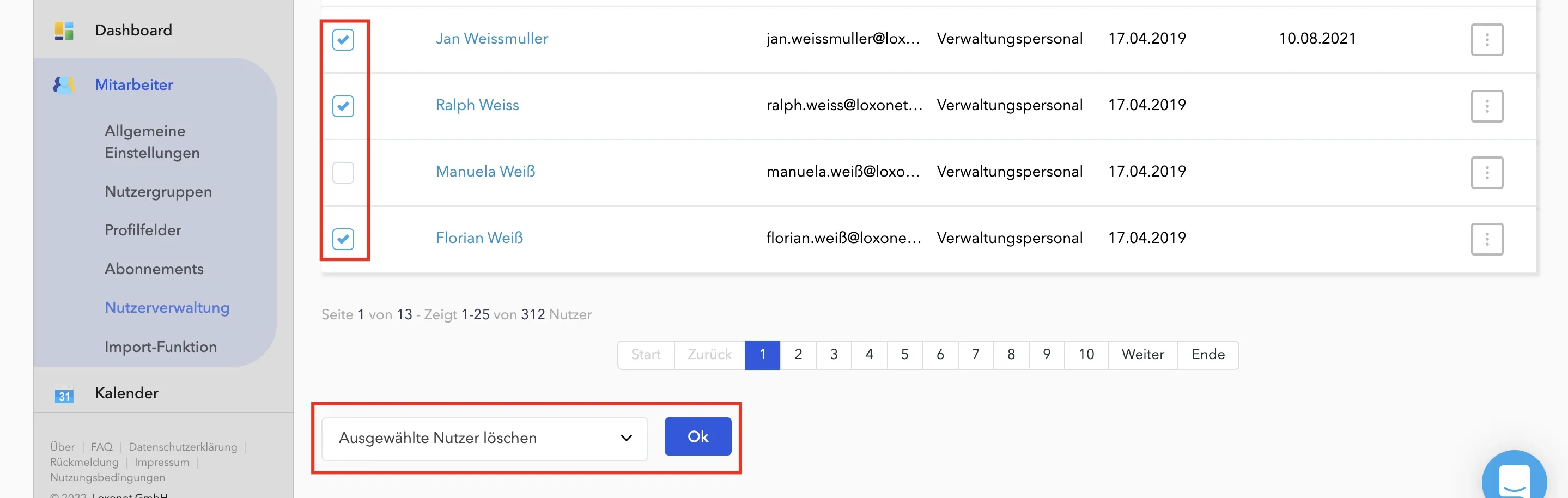
To delete multiple users, please check the box on the left next to the name. Below the list you will find a drop-down menu labeled "Choose an action". Here you will find the Delete Selected Users option . Then confirm with OK .
Can user data be updated through CSV import?
We cannot manage user data with CSV files.
Only new users can be imported with CSV.
What are memorialized profiles?
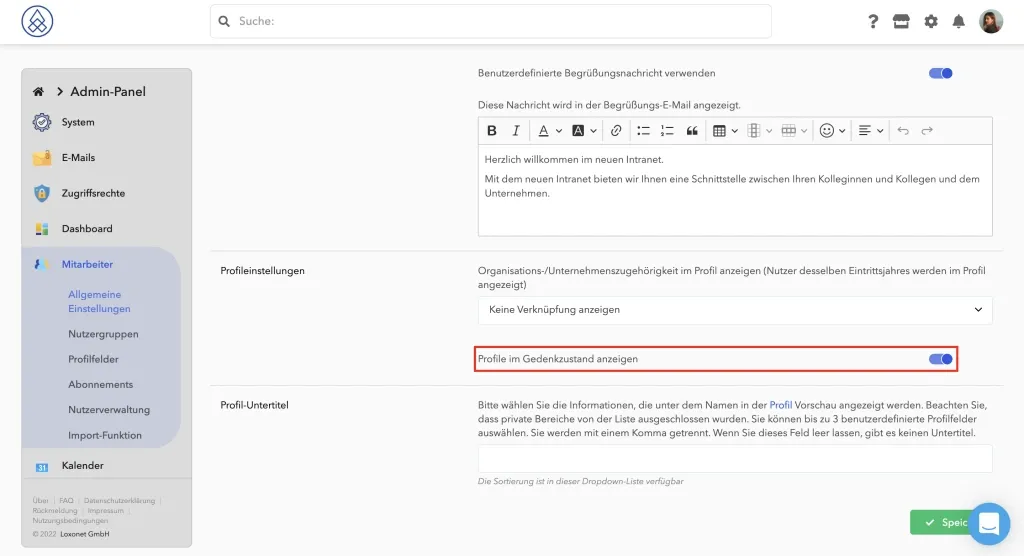
Some of our customers attach great importance to the fact that their deceased members or employees continue to have a so-called memorialized profile on the social intranet. This is shown "grayed out" and it is ensured that neither notifications nor logins are possible. In Admin Panel→ Community → General Settings, the ability to view memorialized profiles can be selected or turned off.
Only admins are authorized to enter the date of death. In addition, nobody (not even the admin himself) can edit his own death date. Above all, the main reason for this is to minimize the risk of abuse on such a sensitive subject.
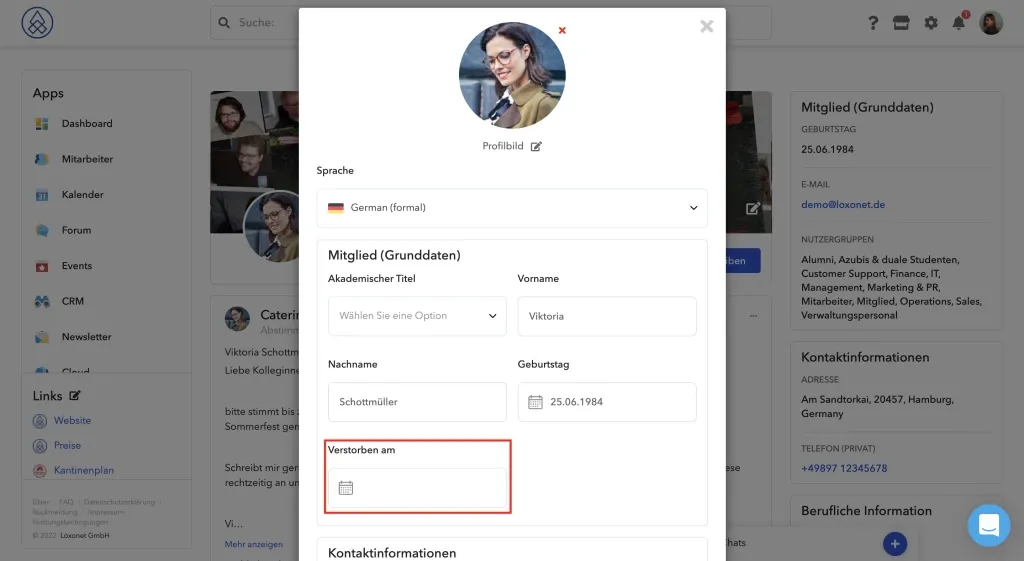
Be careful, the "Deceased on" profile field is responsible for the memorial status . Renaming is not recommended.
All users marked as deceased - can no longer log in, no longer receive emails - this is done to ensure that nobody can perform any actions in the system on behalf of a deceased user
Only admins are allowed to mark users as deceased, and only admins receive an email when a user is marked as deceased, but there is one detail - the email doesn't go to the admin who made the mark because there isn't one makes sense to inform him about his actions.